


Sailing Plan
- Format
- AMVER SP
- Inputs
- Voyage
- Output
- Plain text
Compose AMVER reports and share passage plans in your browser, then solve passage-plan ETAs and read BAPLIE cargo bay plans with our free Windows apps, and carry tides, checklists and GMDSS on your iPhone with Bridge Con.
Purpose-built web tools that turn routine bridge paperwork into a few quick clicks.
Compose Sailing Plan, Position, Deviation and Arrival messages.
Solve ETAs or required speeds from passage-plan waypoints — free Windows desktop app.
Store your passage plans, share routes with other officers and preview waypoints on a chart.
Open a BAPLIE stowage file and see an interactive bay plan and cargo recap — free Windows desktop app.
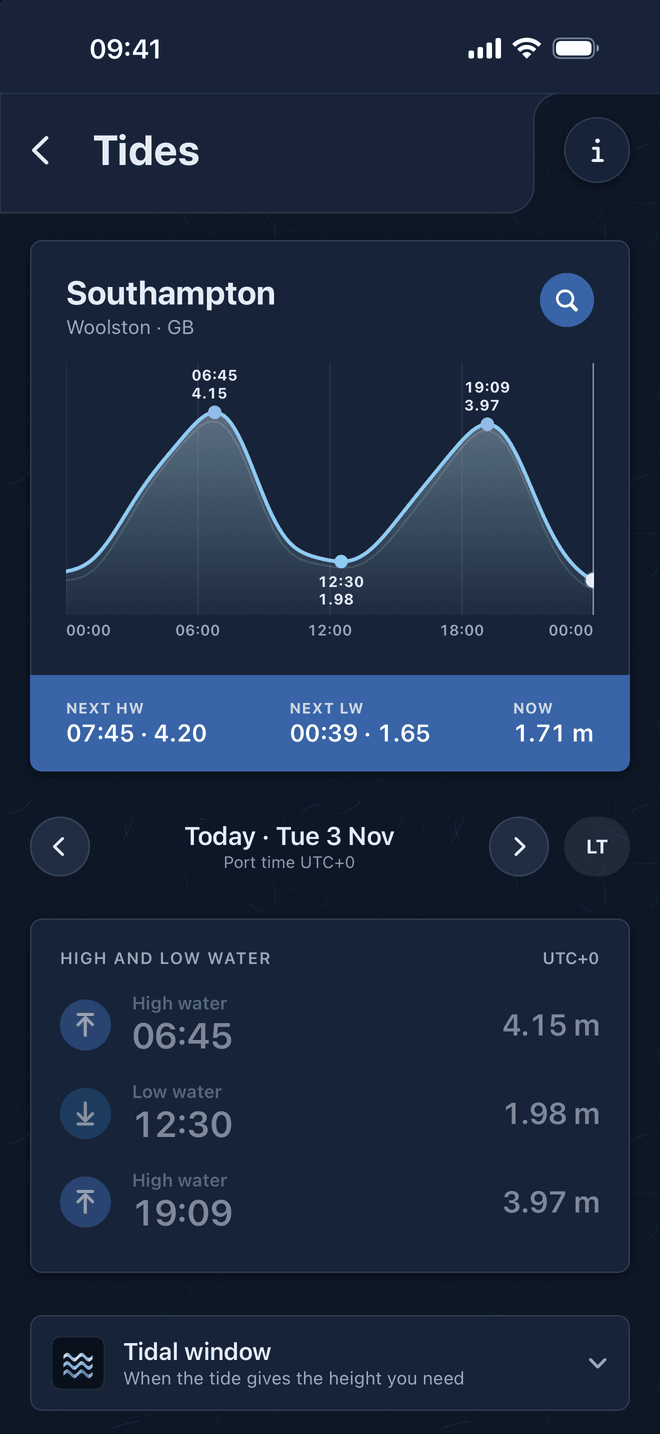
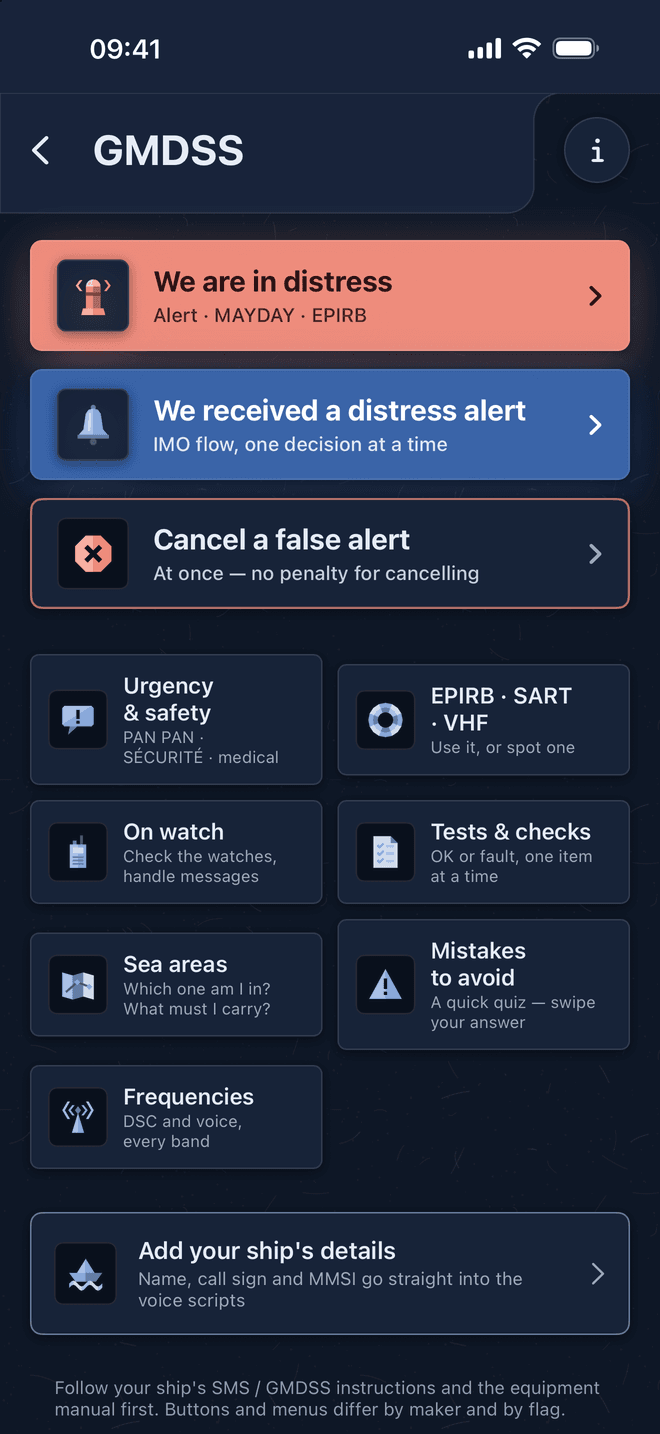
Offline tides for 5,900 ports, bridge checklists, GMDSS, COLREG lights and celestial navigation in your pocket.
Every field maps to the actual report templates seafarers fill on the bridge — no extra noise.
A simple web app you can keep open in a browser tab, with no installs or onboarding.
Outputs paste cleanly into Inmarsat and other satellite messaging clients.
A home for your passage plans. Keep routes private to your account, or share them so other officers can find and reuse them — every shared route shows how many times it's been downloaded, so the most trusted passages rise to the top.
Upload routes privately, then share any of them publicly with one toggle.
Preview RTZ and .route waypoints on an interactive map before you download.
RTZ, RTZP, GPX, KML, KMZ and .route — validated by content, with RTZ recommended.
Download counts highlight the routes other officers actually rely on.
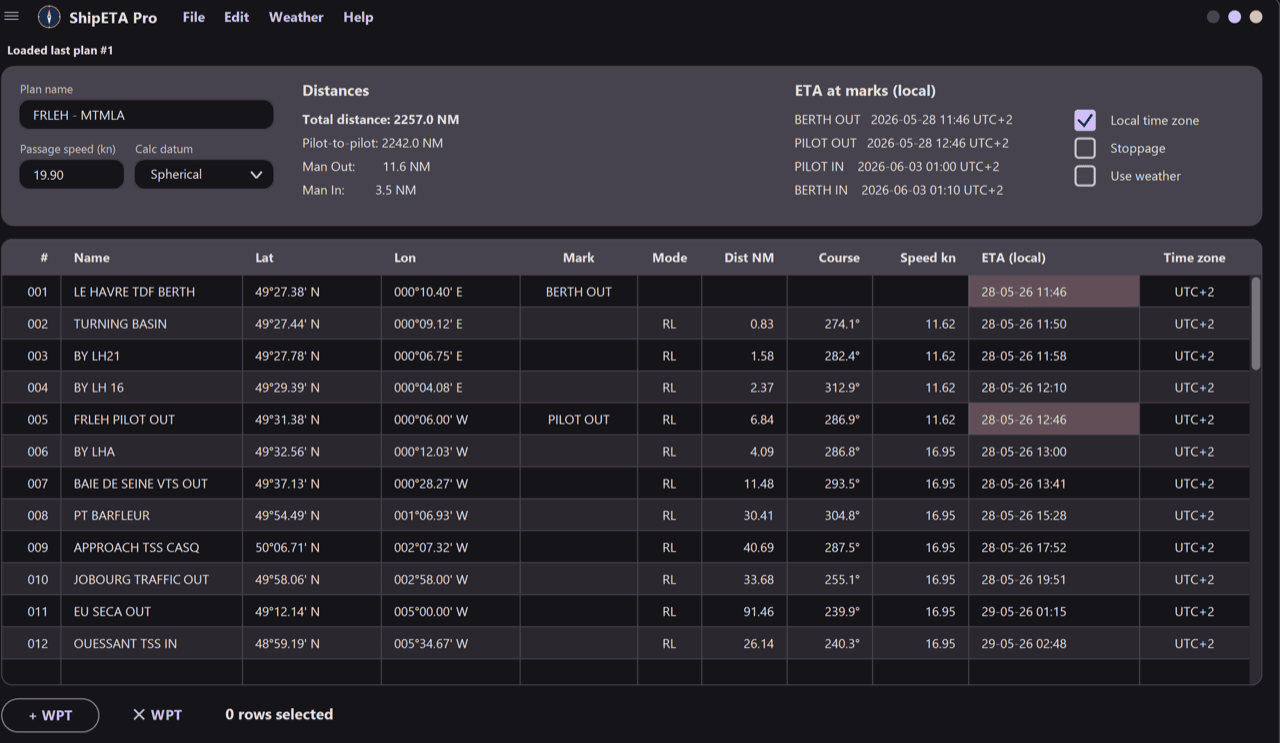
Beyond the browser tools, ShipETA Pro is a dedicated Windows app for working passage plans: import your route, edit waypoints in a full desktop table, and solve the whole voyage — times or speeds — in one place.
Lock speeds to get ETAs, or lock ETAs to get the speed you need for each waypoint.
Imports .gpx, .route, V2PS .xml and .rtz — the format is auto-detected.
Add waits, work in local time, and switch between Spherical and WGS84 (Vincenty) models.
Every plan is saved next to the app in a local database. No account, no cloud.
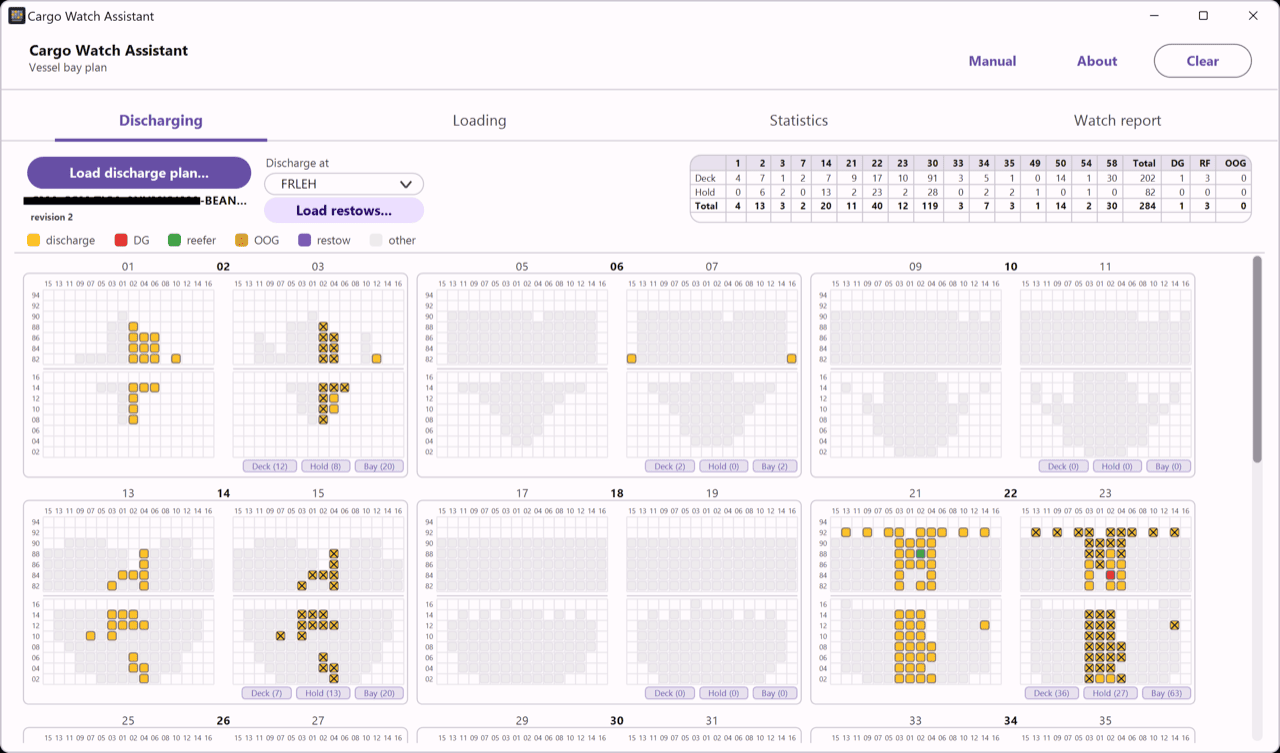
Open the stowage file, pick the port of stay, and CargoWatch draws the whole ship — deck and hold — highlighting exactly which boxes come off and go on. Mark moves as you work them to track what's left, log crane rates, and project your ETD.
Loads stowage lists straight from the .edi — sizes, reefers, DG, OOG and VGM weights decoded.
The ship drawn bay by bay, deck above the hatch line and hold below.
Mark containers as you work them — the bay plan and stats show the moves still left to discharge and load.
Log time and cranes at each check; the app computes moves/hour and projects completion (ETD).
Offline tide tables, swipe-through bridge checklists, GMDSS distress steps, a COLREG lights identifier and celestial navigation, on your iPhone and without a connection.
High and low water, tidal window and alerts, worked on the phone.
Watch handover to emergencies, one point per card, with a shareable record.
Distress steps with your MAYDAY written out, and vessels identified from their lights. Free.
SMART NAV TOOLS turned a daily 10-minute paperwork chore into a 30-second copy-paste. Exactly the kind of tool the bridge needed.